-
Microsoft Teams: Customizing Channels
$99.00In this course you will learn how to customize channels, and add tabs and connectors to a channel. -
Developing a Training Needs Analysis
$99.00This course covers all the essential elements of a training needs analysis. The first step is using the ICE method to isolate problems, consult with stakeholders, and evaluate your options. Then, you can bring all of the information together into a training needs analysis that will convince readers to take action. -
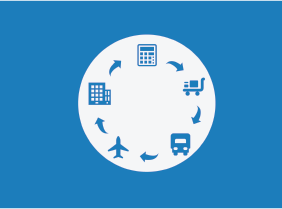
Logistics and Supply Chain Management
$99.00In this course you will learn about supply chains and logistics, various integration models, supply chain flows, who is who in a supply chain, as well as drivers and ways to optimize them. You will also gain an insight on other crucial points such as aligning your business and supply chain strategies, how to get the most out of your data, how to troubleshoot any problems that crop up and ways to develop your supply chain. -
Microsoft 365 Excel: Part 3: Exporting and Sourcing Data
$99.00Export data Use data sources Use Microsoft Forms -
Microsoft 365 PowerPoint Online: Getting Started
$99.00In this course you will learn how to: Get started with PowerPoint Online, Create, edit, and view presentations, and Get help in PowerPoint Online. -
Diversity Training: Celebrating Diversity in the Workplace
$99.00In this course, you will learn what diversity means and what some of its related terms are. You’ll also consider how your world has changed and how stereotypes impact people. Then, you’ll learn how to use the four cornerstones of diversity and the STOP technique to encourage a diverse workplace. You will also learn how to manage for diversity and deal with discrimination issues. -
Windows 10: May 2019 Update: Windows Settings and Storage
$99.00In this course you will learn how to use the updated Settings app, and use the updated Storage settings. -
Introduction to Microsoft Power BI: Getting Started
$99.00In this course you will learn how to describe the components of Power BI, work with Power BI files, connect to data sources with the Power BI desktop client, create a report and visualizations, and work with visualizations.