-
Meeting Management: The Art of Making Meetings Work
$139.99In this course, you will learn how to prepare for meetings, develop agendas, lead a meeting, differentiate between process and content, use facilitation skills in a meeting, and manage difficult participants. -
Windows 10: May 2019 Update: Troubleshooting, Updates, and Security
$99.00In this course you will learn how to use automatic troubleshooting, use the Windows Update tool, and use updated Windows Security features. -
Microsoft 365 Outlook: Online: Organizing Email
$99.00In this course you will learn how to: manage folders, use categories, use viewing tools, and clean up messages. -
Public Relations Boot Camp
$99.00In this course, you will learn how to determine the type of information required in a particular situation, ways to approach PR strategically, how to create compelling releases, and techniques for managing media relations. -
Employee Recognition: Appreciating Your Workforce
$99.00Here you are going to learn just what an employee recognition program is all about. You’re going to consider who falls under the definition of an employee and then decide why you should provide recognition for them. You will also look at the types of recognition programs, how to lay the foundation for one, and then how to actually build, implement, and follow up on a program in your office. -
Creating a Dynamite Job Portfolio
$139.99In this course, you’ll learn about the different aspects of your job package, including your resume, cover letter, and job portfolio. You’ll also receive a plan that will get you to a job in 60 days, techniques for writing thank-you notes, and tips for choosing your references. -
Active Listening
$139.99In this course, you will learn what active listening is and what qualities active listeners have. You’ll also learn how to manage your body language, create a positive listening attitude, encourage conversation, build relationships, and get over listening roadblocks. -
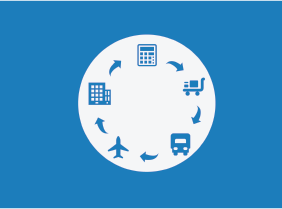
Logistics and Supply Chain Management
$99.00In this course you will learn about supply chains and logistics, various integration models, supply chain flows, who is who in a supply chain, as well as drivers and ways to optimize them. You will also gain an insight on other crucial points such as aligning your business and supply chain strategies, how to get the most out of your data, how to troubleshoot any problems that crop up and ways to develop your supply chain.